Last Updated on September 2, 2026
Employee panic buttons play a critical role in keeping staff safe in the workplace. With the right duress alarm for your business, you can enjoy improved staff safety, better customer service, and increased efficiency when responding to emergencies.
In this buying guide, we’ll answer the common question, ‘how does a panic button work’, explain the key features of a duress alarm, uncover the benefits of duress alarms for workplaces, and share a buying guide of the best duress alarms for businesses.
At a Glance
- A duress alarm lets employees call for help in an emergency, often built into the communication tools they already carry. When it’s integrated into a two-way radio, staff don’t need a separate device, they simply activate the alert on equipment already in their hand.
- The best duress alarm balances speed of alert delivery, location accuracy, and two-way communication capability. A system that sends alerts in under a second and gives responders the employee’s exact location is the baseline for any serious evaluation.
- Duress alarm features to evaluate include silent activation, indoor location tracking, integration with existing communication devices, and customizable alert routing. Systems that require separate hardware often slow down response times and increase the burden on staff.
- For frontline teams in hospitality, healthcare, and warehousing, a duress alarm built into a two-way radio is the most practical option. Staff already carry the device, which means activation in a real emergency requires no extra reach or thought.
What is a Duress Alarm and How Does it Work?
A duress alarm, also known as a panic button or distress alarm, is a safety device an employee can use to call for assistance in an emergency. Teams primarily use it in workplaces like healthcare or hospitality, often pairing it with a two-way communication device, like a smart radio or walkie-talkie.
How Does a Panic Button Work?
A panic button, usually triggered by pressing a button once or multiple times, works by notifying primary responders that help is needed during an emergency. Once an employee triggers the alarm, the responder receives their location.
With two-way communication solutions, the responder can talk to the employee to ensure the right assistance reaches them quickly and, if needed, discreetly.
Read more about how panic buttons such as Relay’s work below.
Triggering a Panic Alert
To trigger the duress alarm on a Relay, press the centre push-to-talk button at least five times in quick succession. This is discreet, quick to perform, and an easy emergency procedure for staff to remember. Even better, it comes in a device staff already carry every day. Other panic buttons’ triggers may be set up differently.
Responders are Notified
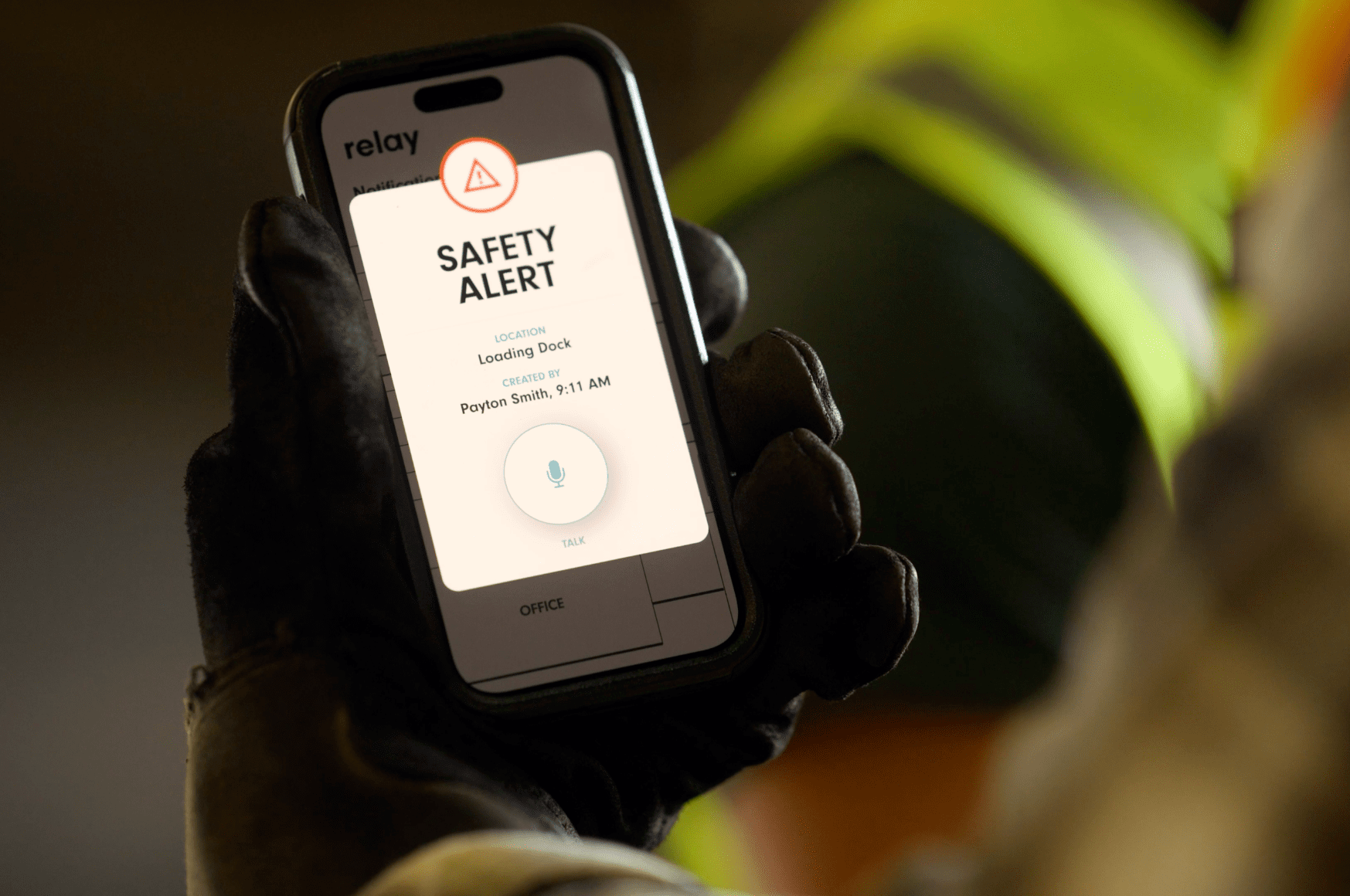
A duress alarm comes preconfigured to notify designated responders during an emergency. Administrators can customize who receives the alert. When an employee presses a panic button, responders should receive an instant notification with the employee’s name and exact location.
Push to Talk
Relay builds duress alarms directly into our smart two-way communication devices, enabling responders to talk to the employee to better understand the problem. This way they can know what supplies may be needed and acknowledge when help is on the way. With cellular or Wi-Fi connectivity, communication between devices is clear, crisp, and reliable – no matter where you are.
Duress Alarm vs Panic Button: What is the Difference?
In most workplace contexts, duress alarm and panic button refer to the same device. Both describe a tool an employee activates to call for help during an emergency, and in everyday workplace use, the two terms are often treated as interchangeable.
The confusion usually comes from form factor and setting rather than function.
Where the Terminology Overlaps
Duress alarm tends to appear in formal safety documentation, compliance requirements, and integrated security system specifications. It implies a broader system where the alert is part of a structured emergency response workflow.
Panic button is the more colloquial term used by the employees and managers who actually use the devices day to day. It’s also the term buyers most often reach for when searching for standalone solutions.
Where Real Differences Exist
Most workplaces use the two terms interchangeably in practice, but the technical distinction is worth knowing
Panic button often refers to the physical device: a wearable, a wall-mounted unit, or an under-desk button. It’s the thing an employee presses.
Duress alarm often refers to the broader system: the button, alert routing, response protocols, and monitoring infrastructure behind it.
For Businesses, The Evaluation Criteria Are The Same
Whether a vendor calls it a duress alarm or a panic button, ask the same questions: How fast does the alert reach a responder? How accurate is the location data? Can the responder communicate two-way once the alert fires? Does it integrate with the devices staff already carry?
The label matters far less than whether the system performs when it counts.
Benefits of Duress Alarms For Businesses
An employee panic button can benefit businesses and staff by making the workplace safer and more efficient for customers and employees. The top benefits of an employee panic button include:
Improved Safety
Duress alarms can make a workplace safer by enabling quick assistance to employees in an emergency and de-escalating potentially dangerous situations. It’s particularly beneficial for improving the safety of lone workers such as housekeepers.
Panic buttons are frequently built into two-way communication devices carried by employees, making it easy for staff to activate the alarms and receive help.
For example, staff working in a warehouse, hotel, or healthcare facility already using a radio device to communicate daily may benefit from having a panic button built in. Especially when it comes to feeling safe, confident, and protected while at work.
Rapid Emergency Response
Panic buttons can significantly improve a workplace’s response time to emergencies. Solutions should send instant alerts in less than one second to designated responders, so employees can access the help they need without delay.
Read how Fairfield and TownePlace Suites of Norfolk relies on Relay’s panic solution to handle staff and guest emergencies with intention and speed.
Better Customer Service
In client-facing environments (like healthcare or hospitality) the best duress alarms can also improve customer services by enabling quick support to reach a customer.
For example, if a guest is unwell or requires fast support from another professional, a panic button can ensure they get the help they need quickly.
Discreet Activation
Employees can activate a duress alarm discreetly to receive assistance. This is especially important when working alone in a room with a patient or guest.
This prevents the need for staff to call for help or sound an alarm, which can cause a disturbance or distress among guests and other employees.
When to Use a Duress Alarm
Employees can use a duress alarm any time they need to report an emergency or get fast assistance. This can include alerting staff to fires, falls, or any situation where an employee feels unsafe and needs assistance.
Common situations that can cause an employee to use a duress alarm include:
- Medical emergencies – If a customer or member of staff falls ill
- Feeling unsafe – If an employee feels unsafe due to a workplace problem
- Immediate assistance – If an employee needs instant assistance, such as during a machine malfunction or accident
- Workplace accidents – If an accident occurs in a workplace, such as an employee falling over or injuring themselves
- Reporting emergencies – In the event of a fire, flood, or other emergency to enable fast action and evacuation
- De-escalation of threatening situations – If a customer displays threatening behavior, an employee can discreetly notify responders to help de-escalate a situation
- Robbery or break-in – During a robbery or break-in, staff can use the panic button to notify management or the authorities discreetly
What Are The Key Duress Alarm Features to Evaluate?
When choosing a duress alarm for your business, it’s important to consider the practicality of the device and how it can best benefit your employees.
Relay builds a duress alarm into every two-way radio. Employers get the full benefits of a smart radio and improved workplace safety in one device.
This type of duress alarm is particularly beneficial for staff working in large businesses where effective communication technology is key to operations, including:
- Casinos
- Hotels
- Golf courses
- Entertainment venues
- Food services
- Education
- Warehouses
- Healthcare
With Relay’s duress alarm, employers receive:
- Instant alerts – Relay sends panic alerts to responders in less than one second, minimising delays and improving safety.
- Accurate location – Relay provides responders with an accurate location indoors and outdoors, with the ability to pinpoint the exact room
- Reliable connectivity – Triple redundancy and long-lasting Bluetooth beacons ensure continuous connectivity with minimal maintenance
- Real-time communication – Every device includes push-to-talk, so responders can quickly reach the employee and confirm the right help is on the way.
- Live language translation – In a critical situation, our live language translation removes language barriers and ensures clear communication between parties
Other key features of Relay’s smart radios include:
- Nationwide range – Teams can communicate from other buildings and locations nationwide
- Better connectivity – Relay offers redundant connectivity with Wi-Fi and multiple 4G service providers
- Location tracking – Managers can track employee locations with GPS and Bluetooth to improve safety and workplace productivity
How Relay Can Improve Your Workplace Safety
Relay can improve productivity and enhance worker safety, particularly for lone workers or staff working in customer-facing environments.
Clear communication is a necessary part of every workplace, especially when you’re using radios to send vital messages to your team.
Replacing your walkie talkies with Relay can help you maximize efficiency and improve the safety of your staff and customers. With nationwide range, Relay operates effectively in large premises and even different buildings. Ready to uncover if Relay is right for your business? Book a one-on-one demo today – or check out our customer stories to see how Relay has helped deliver over 2.5 billion messages across the world.

Frequently Asked Questions
What is a duress alarm and how does it work?
A duress alarm is a safety device employees use to request immediate help in an emergency. It’s activated by the employee, typically by pressing a button, and sends a silent alert to designated responders with the sender’s name and location. Unlike a standard alarm, the device keeps the alert silent at the scene, so staff can call for help without alerting anyone nearby.
How does an employee panic button differ from other safety reporting tools?
An employee panic button is designed for speed and discretion in an active emergency. Unlike safety hotlines, incident reporting apps, or check-in systems, a panic button sends an instant alert with location data in under a second. It doesn’t require the employee to speak, type, or navigate a system. One press is enough. This makes it significantly more effective in situations where speed and silence both matter.
What are the most important duress alarm features to evaluate?
The most important duress alarm features are: alert speed (under one second is the standard), indoor location accuracy (room-level precision for large buildings), two-way communication capability between the employee and responder, discreet activation that doesn’t alert bystanders, and integration with the devices staff already use. Systems that require a separate dedicated device are harder to adopt and slower to activate in a real emergency.
What’s the difference between a duress alarm and a panic button?
In practice, most workplaces use the two terms interchangeably. Technically, a panic button refers to the physical device: wearable, wall-mounted, or under-desk; while a duress alarm refers to the broader system: the button plus the alert routing, response protocols, and monitoring behind it. When evaluating options, focus on the full system rather than the device alone, because the button is only as effective as what happens after it’s pressed.
What mistakes do teams make when selecting a duress alarm system?
The most common mistakes: choosing a system that requires employees to carry a separate dedicated device (which often gets left behind), not verifying indoor location accuracy in the actual building before purchase, failing to configure responder alerts and escalation paths before go-live, skipping staff training on activation procedures, and selecting a system that can’t integrate with existing communication tools. The result in each case is slower response times when speed matters most.