
Last Updated on June 11, 2026
Staying in touch while you’re working should be relatively easy. Unfortunately, various obstacles can stand in the way, from technological limitations to the unique needs of different work environments. Whether you’re in an office setting, a manufacturing plant, or out in the field, finding the right communication tool for your team is crucial for productivity and efficiency.
In this list of walkie talkie alternatives, we’ll examine the pros and cons of various options, including cellphones, smart radios, PTT devices, and software solutions like Microsoft Teams and Slack. We’ll also consider factors like cost, ease of use, security, and specific features such as language translation and AI capabilities. By the end, you’ll have a clearer understanding of which communication tools best suit your team’s needs and how to overcome those communication hurdles.
At a Glance
- Walkie talkie alternatives range from free apps to purpose-built smart radio devices, but not all of them work for frontline teams. The right tool depends on where your team works, how urgently messages need to arrive, and whether deskless workers can realistically use a screen-based tool.
- Push-to-talk apps are the most affordable entry point, but reliability is a real constraint. Single-network dependency, battery drain on personal phones, and inconsistent audio in noisy environments are recurring problems that show up after deployment, not before.
- The best walkie talkie alternative is the one your team will actually use. Test real coverage in your facility, run a short pilot, and validate adoption before committing to any solution.
- Smart radio devices solve the problems traditional walkie talkies create, without sacrificing simplicity. Purpose-built for frontline use, they connect over cellular and Wi-Fi, support real-time translation across 30+ languages, and don’t require employees to manage a smartphone.
6 Walkie Talkies Alternatives
One thing is for sure; there is no shortage of workplace communication tools. Of course, having tools available and being able to actually use them are two different things. Let’s find out which walkie talkie alternative works best.
Cellphones
Cellphones definitely have a big advantage in that almost everyone has one in their pocket. These smart devices make it simple to fire off a quick text. Alternatively, you could call a coworker if you have a question.
On the downside, not everyone wants to use their personal phone for work and providing phones can be very expensive, both upfront and monthly. Cellphones also rely on only one cellular provider and if connectivity is lacking in your work environment, calls and messages may get delayed. There are also other downsides to using cellphones for work, including them being a distraction, looking unprofessional, and their lack of durability.
Pros:
- Easy to use
- 1:1 communications
- Nationwide range
- Better mobility
Cons:
- Can hinder productivity
- Security risks
- Privacy concerns
- Expensive to provide
- Reduced work-life balance
What Are Smart Radio Devices and Why Are They a Better Walkie Talkie Alternative?
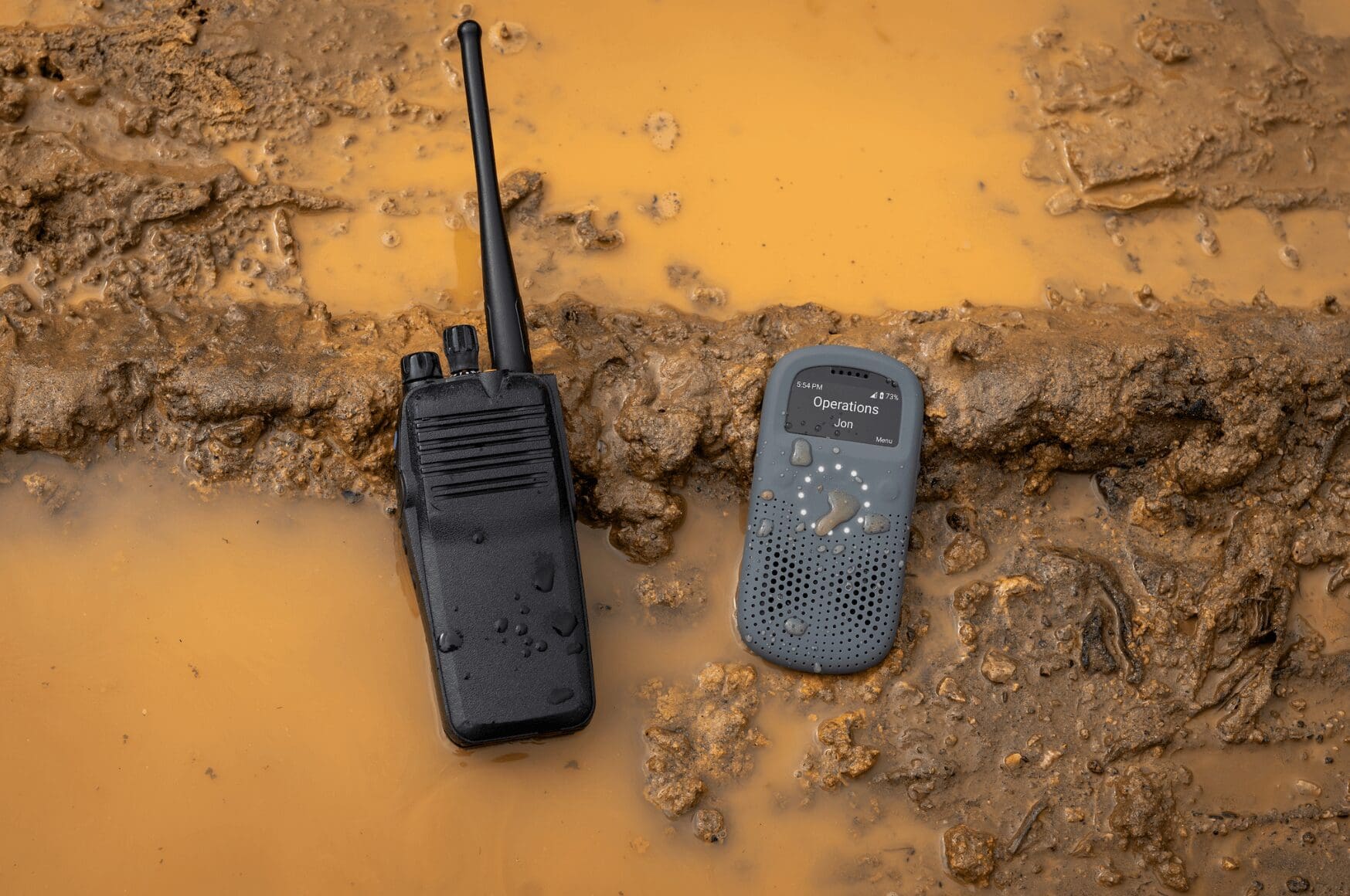
Smart radio devices can be a wise alternative to traditional walkie talkie technology. One of the main advantages is network: smart radios connect over private LTE networks and Wi-Fi rather than open radio frequencies, which means no outside interference and nationwide range instead of coverage bounded by transmit power. They’re also better suited to harsh environments than smartphones, and because they’re purpose-built for work, there’s no concern about personal use or distraction.
With smart radios, you also unlock a fleet of capabilities that traditional walkie talkies don’t support, including 1:1 calling, real-time language translation, a built-in panic button, GPS tracking, message transcriptions, and more. Of course, you may have a higher initial investment, though this is often offset over time with the warranty coverage and device trade-in programs smart radio providers like Relay offer.
Pros:
- All-in-one communications and safety device
- Redundant nationwide connectivity
- Easy to use
- Built for tough environments
- 1:1 and group communications
- Customizable cloud-based features such as AI-powered language translation
Cons:
- Initial investment cost
- Workers may experience radio fatigue

Slack or Microsoft Teams
When weighing the operational differences of microsoft teams vs walkie talkies, Slack or Microsoft Teams can be good choices for coworkers who want to remain in constant contact with each other, but this walkie talkie alternative is best for an office setting. In other words, if your business is an office environment, they will work fine for non-urgent real-time communications. However, if you run a manufacturing plant, it will be too difficult for your line workers to stay up to date.
The downsides of choosing Slack or Microsoft Teams include lots of potential distractions and information overload. They also come with a rather steep learning curve, and messages can easily get lost in the shuffle.
Some companies may choose to utilize these desktop messaging apps for their office staff, while providing an alternative communication method for those on the line. If you choose not to do this, everyone may need 10-15 minutes each day to check out what’s been posted.
Pros:
- Mobile accessibility
- Integrates seamlessly with other services and apps
- Remote collaborations
- Provides a centralized communication tool
- Enables voice calls and video conferencing
Cons:
- Not designed for time-sensitive communications
- Steep learning curve
- Number of groups and messages can be distracting
- Not ideal for deskless workers
How do Push-to-Talk Apps Compare to Dedicated Walkie Talkie Alternatives?
Push-to-talk (PTT) apps enable hands-free communication over Wi-Fi and cellular networks, making them a cheaper entry point than dedicated radio hardware. Setup is fast, and for teams already carrying company smartphones, there’s no additional device cost.
The limitations mirror those of using cellphones for work. PTT apps depend on a single cellular carrier, so network outages affect the whole team at once. They also drain smartphone batteries faster than standard use, and workers need a smartphone to use them at all, which may not be practical in every environment.
Pros:
- Nationwide connectivity
- Compatible with multiple devices
- Cost-effective if employees are using personal devices
- Easy to use
Cons:
- Occasionally drops or delays calls
- Internet dependency
- Data usage costs
Collaboration Tools
Google Workspace
Google Workspace has been around since 2006. Although Google Workspace can be accessed for free, it also offers enterprise features. As an example, you could pay a fee to receive your own custom email addresses, along with unlimited storage.
Small-to-medium sized businesses will get the most out of Google Workspace, followed by freelancers and anyone who primarily works in the cloud. Using it does require the internet, though, so when you suffer an outage, you’ll be unable to access Google Workspace.
Zoom Workplace
Zoom Workplace is a recent addition to the many walkie talkie alternatives you can use. Launched in 2024, it primarily relies on AI-powered capabilities and collaboration. You can use this feature to summarize meetings, compose a chat message, etc.
On the other hand, Zoom Workplace can support large audiences for meetings and webinars. Plus, many workers are already familiar with Zoom’s features and setup, due to the pandemic.
Pros:
- Easy to use
- Scalable
- Robust integrations
- Good collaboration features
Cons:
- Not designed for deskless workers
- Requires the internet
- Paid accounts are expensive, especially with add-ons and subscriptions
- Not ideal for urgent communications
Company Intranet
Setting up a business-specific intranet enables your team to have secure, internal conversations. Your employees will have access to company news, documents, and resources, which they won’t have to browse the internet to find.
Unfortunately, many people still think of their company’s intranet as being clunky and difficult to use. Intranet access has come a long way from its earlier predecessors, though, so it might work great if your team works exclusively in an office environment.
Pros:
- Boosts employee engagement
- Encourages knowledge sharing
- Makes employee onboarding easier
- Improves internal communication
Cons:
- Navigation is complex
- Might cause information overload
- Not meant for urgent messages
- Time-consuming and costly
How to Choose the Right Walkie Talkie Alternative for Your Business
The right walkie talkie alternative depends on three things: who your workers are, where they work, and what happens when communication fails. Get those three answers right, and the decision becomes straightforward.
Start with your workforce profile. If your team sits at desks with reliable Wi-Fi and company laptops, collaboration tools like Microsoft Teams or Slack are a reasonable fit for non-urgent communication. But if any portion of your team is deskless, those tools fall short fast. A manufacturing line worker, a hotel housekeeper, or a warehouse picker cannot stop what they’re doing to check a message thread. For deskless workers, the communication tool needs to work with one hand while the other is on the job.
Next, map your environment. Test any candidate tool in your worst-coverage area at your busiest time of day, not in a showroom or demo. Dead zones in basements, interference near industrial equipment, and connectivity gaps between buildings are the conditions that separate reliable walkie talkie alternatives from ones that fail when it matters.
Finally, define what failure costs. If a missed message means a guest complaint, a delayed shipment, or a safety incident that goes unreported, your requirements for reliability are higher than if communication is a convenience rather than a core workflow. Teams with high-stakes communication needs should weight reliability, redundancy, and uptime ahead of cost.
A short pilot, four to six weeks in one department or on one shift, will tell you more than any spec sheet. Measure adoption, test your hardest-to-cover areas, and ask the workers using it daily what friction they’re experiencing. That feedback, not a vendor demo, is what determines whether a walkie talkie alternative actually works for your team.
Smart radios such as those offered by Relay make it easy for your team to stay connected, even if they’re not within sight of each other. Relay enables you to speak to many people at once, or 1:1. Their smaller size is a plus, as is their built-in ability to provide real-time translation across 30+ languages.
Are you interested in building stronger communication between your employees? Unlock Relay’s pricing today.
Frequently Asked Questions
What are walkie talkie alternatives for teams?
Walkie talkie alternatives include push-to-talk apps, smart radio devices, collaboration platforms like Microsoft Teams or Slack, and company intranets. The right option depends on where your team works, whether they’re deskless, how time-sensitive communications are, and what your coverage requirements look like. For frontline teams in manufacturing, hospitality, or logistics, smart radio devices and PTT apps are usually the most relevant categories to evaluate.
Pros and cons: What should you know about push-to-talk apps?
Push-to-talk apps can be easy to deploy and cost-effective when workers already have company smartphones, but they depend entirely on a single cellular network, and any coverage gap or outage takes the whole communication system offline. Audio quality in noisy industrial environments is inconsistent, and running PTT in the foreground drains phone batteries faster than most shift lengths can accommodate. Test voice quality and latency in your actual work areas before standardizing on a PTT app. They work well for small office or field teams; they struggle in high-demand, high-noise, or multi-site frontline environments.
What are smart radio devices, and when do they help?
Smart radio devices are push-to-talk devices that connect over cellular networks and Wi-Fi instead of traditional radio frequencies. They operate like a walkie talkie, single-button PTT, purpose-built audio, but deliver features traditional radios can’t: nationalwide coverage, real-time translation, GPS location, and centralized management through a web dashboard. They help most when teams span multiple locations or floors, when coverage gaps with traditional radios are causing operational problems, or when you need features like language translation and location awareness alongside reliable voice communication.
How do you choose the best walkie talkie alternative for business?
For walkie talkie alternatives, start with the workflows that break most often, dispatch, escalation, safety alerts, or shift handoffs, and write down what must-have requirements those workflows create. Test any candidate tool in your worst-coverage area, not a demo environment. Run a short pilot with real workers on real shifts, and measure adoption, coverage performance, and battery reliability before committing. The best walkie talkie alternative isn’t the one with the longest feature list; it’s the one your team uses consistently and that holds up in your hardest conditions.
Checklist: What should you include when evaluating walkie talkie alternatives?
Include coverage testing in every area where workers operate, not just main floors but stairwells, loading docks, and basements. Document battery expectations against your actual shift length, not manufacturer claims. Confirm how group communication is organized and whether the system supports the number of talk groups you need. Assess security requirements, especially if communications include safety events or sensitive operational details. Document training and support plans before rollout, since adoption rate determines whether any walkie talkie alternative succeeds or quietly gets abandoned.